← back to Atmos Game
assets/gen/.venv/lib/python3.12/site-packages/gradio_client/templates/discord_chat.py
193 lines
import asyncio
import os
import threading
from threading import Event
import discord
import gradio as gr
from discord import Permissions
from discord.ext import commands
from discord.utils import oauth_url
import gradio_client as grc
from gradio_client.utils import QueueError
event = Event()
DISCORD_TOKEN = os.getenv("DISCORD_TOKEN")
async def wait(job):
while not job.done():
await asyncio.sleep(0.2)
def get_client(session: str | None = None) -> grc.Client:
client = grc.Client("<<app-src>>", token=os.getenv("HF_TOKEN"))
if session:
client.session_hash = session
return client
def truncate_response(response: str) -> str:
ending = "...\nTruncating response to 2000 characters due to discord api limits."
if len(response) > 2000:
return response[: 2000 - len(ending)] + ending
else:
return response
intents = discord.Intents.default()
intents.message_content = True
bot = commands.Bot(command_prefix="/", intents=intents)
@bot.event
async def on_ready():
print(f"Logged in as {bot.user} (ID: {bot.user.id})")
synced = await bot.tree.sync()
print(f"Synced commands: {', '.join([s.name for s in synced])}.")
event.set()
print("------")
thread_to_client = {}
thread_to_user = {}
@bot.hybrid_command(
name="<<command-name>>",
description="Enter some text to chat with the bot! Like this: /<<command-name>> Hello, how are you?",
)
async def chat(ctx, prompt: str):
if ctx.author.id == bot.user.id:
return
try:
message = await ctx.send("Creating thread...")
thread = await message.create_thread(name=prompt)
loop = asyncio.get_running_loop()
client = await loop.run_in_executor(None, get_client, None)
job = client.submit(prompt, api_name="/<<api-name>>")
await wait(job)
try:
job.result()
response = job.outputs()[-1]
await thread.send(truncate_response(response))
thread_to_client[thread.id] = client
thread_to_user[thread.id] = ctx.author.id
except QueueError:
await thread.send(
"The gradio space powering this bot is really busy! Please try again later!"
)
except Exception as e:
print(f"{e}")
async def continue_chat(message):
"""Continues a given conversation based on chathistory"""
try:
client = thread_to_client[message.channel.id]
prompt = message.content
job = client.submit(prompt, api_name="/<<api-name>>")
await wait(job)
try:
job.result()
response = job.outputs()[-1]
await message.reply(truncate_response(response))
except QueueError:
await message.reply(
"The gradio space powering this bot is really busy! Please try again later!"
)
except Exception as e:
print(f"Error: {e}")
@bot.event
async def on_message(message):
"""Continue the chat"""
try:
if not message.author.bot:
if message.channel.id in thread_to_user:
if thread_to_user[message.channel.id] == message.author.id:
await continue_chat(message)
else:
await bot.process_commands(message)
except Exception as e:
print(f"Error: {e}")
# running in thread
def run_bot():
if not DISCORD_TOKEN:
print("DISCORD_TOKEN NOT SET")
event.set()
else:
bot.run(DISCORD_TOKEN)
threading.Thread(target=run_bot).start()
event.wait()
if not DISCORD_TOKEN:
welcome_message = """
## You have not specified a DISCORD_TOKEN, which means you have not created a bot account. Please follow these steps:
### 1. Go to https://discord.com/developers/applications and click 'New Application'
### 2. Give your bot a name 🤖
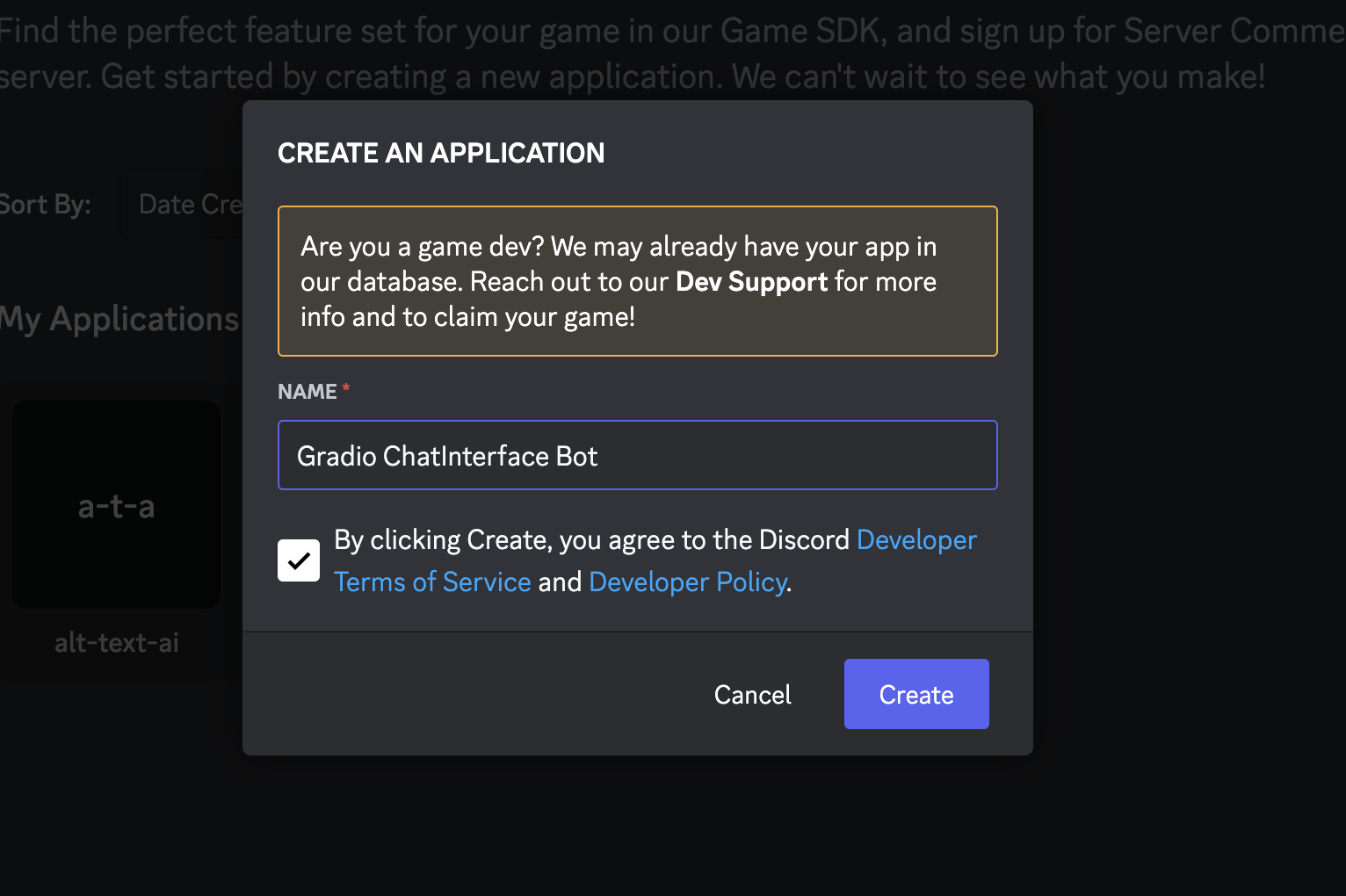
## 3. In Settings > Bot, click the 'Reset Token' button to get a new token. Write it down and keep it safe 🔐
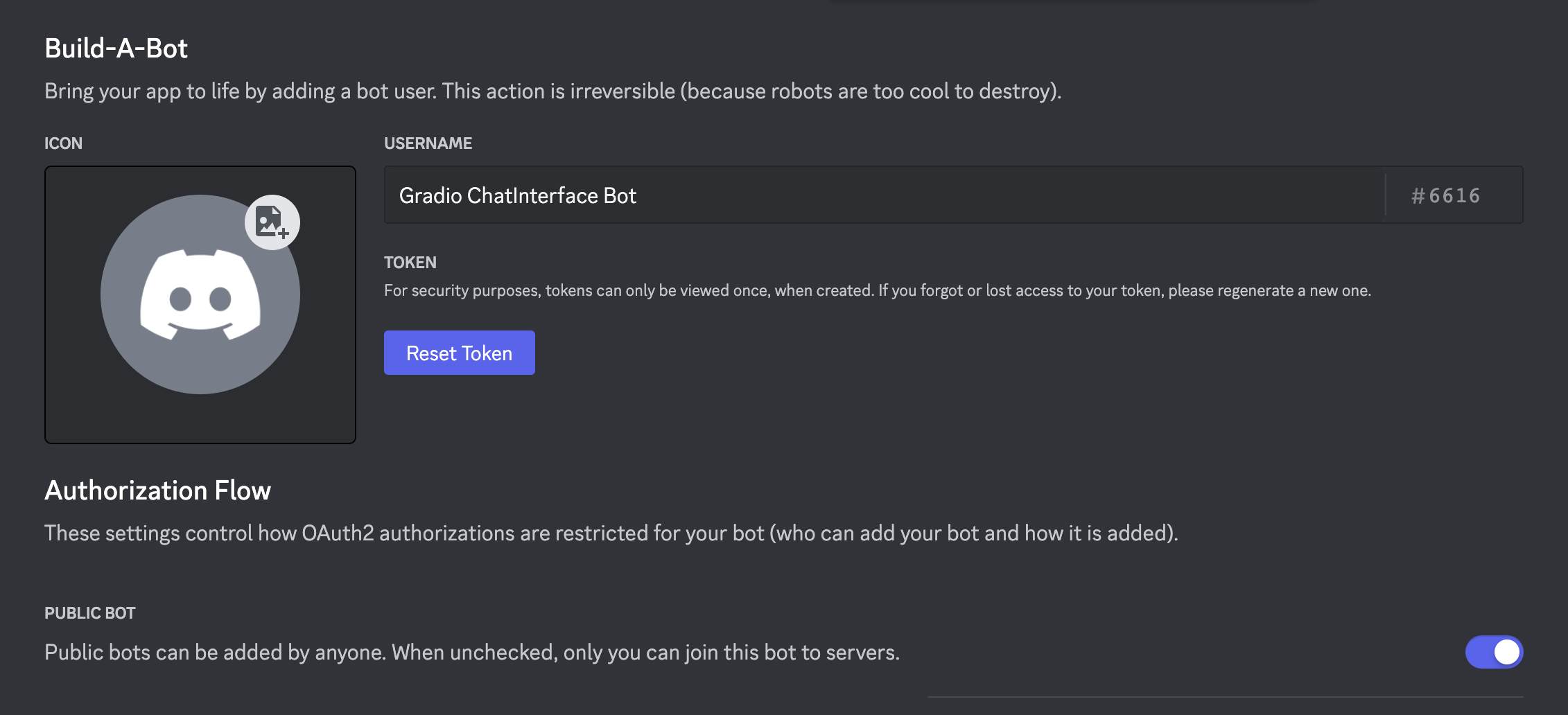
## 4. Optionally make the bot public if you want anyone to be able to add it to their servers
## 5. Scroll down and enable 'Message Content Intent' under 'Priviledged Gateway Intents'
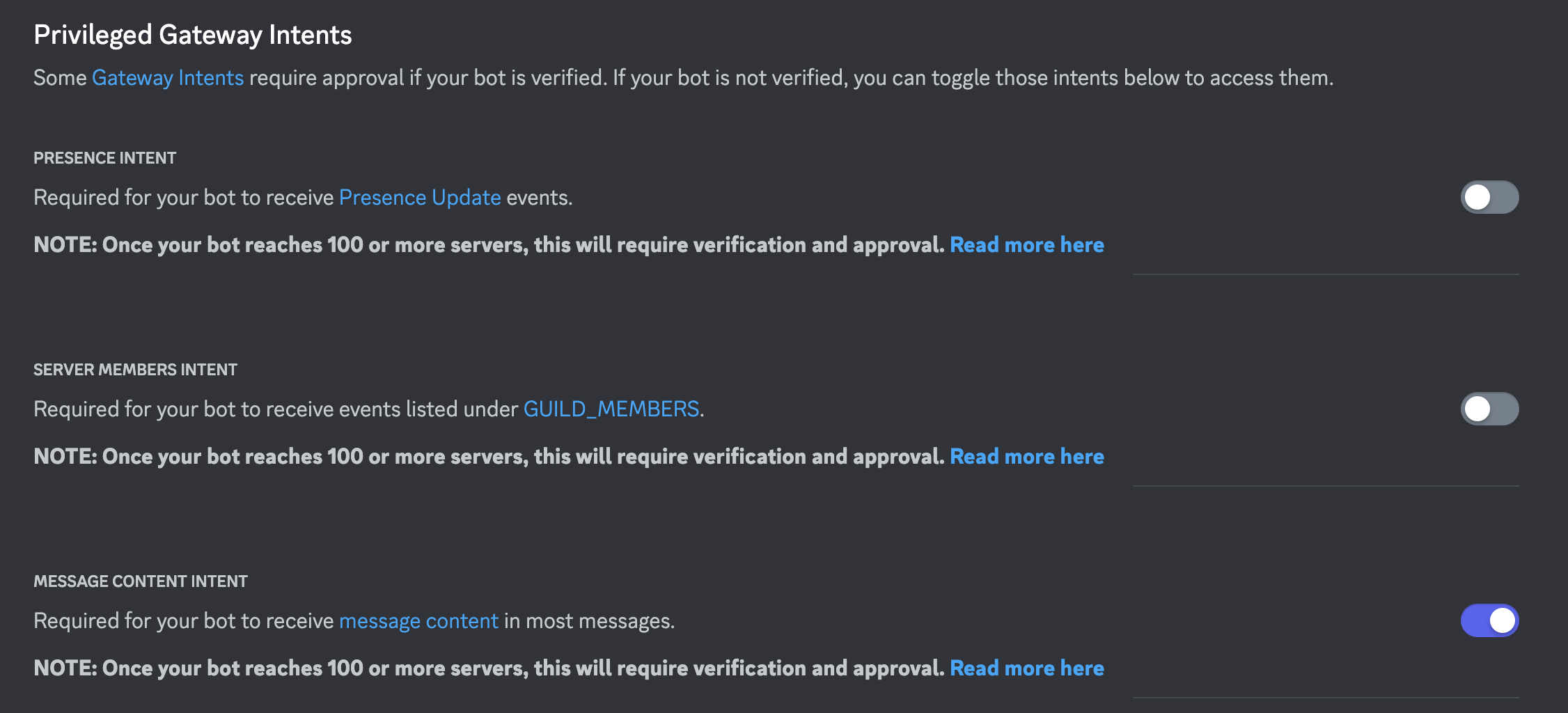
## 6. Save your changes!
## 7. The token from step 3 is the DISCORD_TOKEN. Rerun the deploy_discord command, e.g client.deploy_discord(discord_bot_token=DISCORD_TOKEN, ...), or add the token as a space secret manually.
"""
else:
permissions = Permissions(326417525824)
url = oauth_url(bot.user.id, permissions=permissions)
welcome_message = f"""
## Add this bot to your server by clicking this link:
{url}
## How to use it?
The bot can be triggered via `/<<command-name>>` followed by your text prompt.
This will create a thread with the bot's response to your text prompt.
You can reply in the thread (without `/<<command-name>>`) to continue the conversation.
In the thread, the bot will only reply to the original author of the command.
⚠️ Note ⚠️: Please make sure this bot's command does have the same name as another command in your server.
⚠️ Note ⚠️: Bot commands do not work in DMs with the bot as of now.
"""
with gr.Blocks() as demo:
gr.Markdown(
f"""
# Discord bot of <<app-src>>
{welcome_message}
"""
)
demo.launch()